



We're here to give you the tools and knowledge to help your children enjoy a safe digital experience.
The internet offers incredible opportunities for learning, creativity and connection – but it can also present risks, especially for young people and more vulnerable members of the community. Our goal is to help families find the right balance.
When the time comes for your child to have a phone, we'll help you choose a device that fits their needs and gives you the tools to stay informed and in control.
From simple phones for calls and texts to smartphones with parental controls for managing access and screen time, we offer advice and options to suit every age and stage of your child's online journey.
Apple and Android phones and tablets have built-in parental controls to let you restrict access to various smartphone features and manage screen time.

Apple devices
On an iPad or iPhone, you can restrict access to the App Store and built-in apps such as the Safari browser or FaceTime.
You can filter music, video content, books and websites to restrict certain kinds of content. You can control privacy settings, location-sharing and access to multiplayer gaming.
You can even do this remotely from your own device with Apple's Family Sharing service.
For more details see our full guide to Apple's parental controls.
Android devices
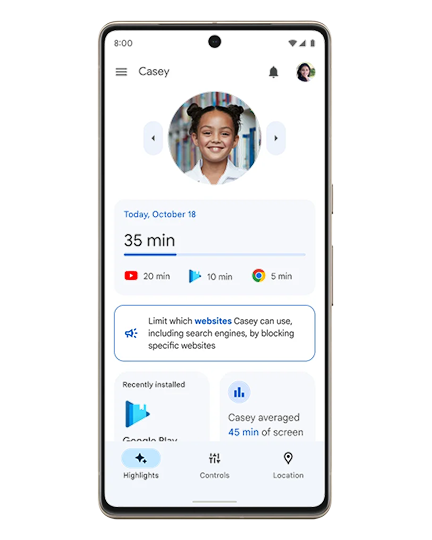
Parents can keep an eye on their child's Google account and Android smartphone usage with the Google Family Link app – both parent and child will need a Google account.
With Family Link, you can approve or block app downloads and purchases, set screen time limits, set filters for mature content in both the Google Play store and Chrome browser, and track your child's location.
Find more detail in our Android parental controls guide.
Keeping it simple: the Nokia 110
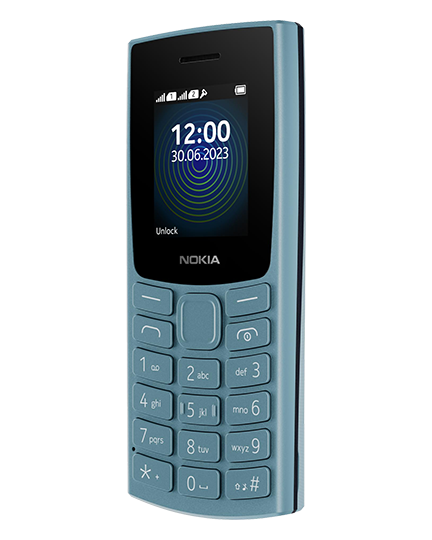
If you want a phone for your child to make calls and send texts, the Nokia 110 is perfect. It'll let them have some fun, too, with a built-in camera, MP3 player, FM radio and gaming with the classic Snake. The battery will last for days or even weeks, and it's all wrapped up in a durable shell.
Just £39 from your local Sure store.
Share your mobile plan with your child
Children on our Basic Sharer plan can remain in touch with family and friends by calling or texting - while any access to digital services is only possible via Wi-Fi at locations such as home or school. Its ideal for use with a simple phone like the Nokia 110. Alternatively, our Sharer plan gives your child access to data, and you can moderate their usage with the parental controls built into Android and iPhone handsets.


Router parental controls
Many routers have built-in functions to restrict online time or to restrict access to online content.
Enabling this on your router means that the controls can apply to any device in your household, as long as they're connected to your WiFi network.
Technicolor routers, as previously provided by Sure, allow you to restrict internet access to specific devices on your network by time and day: here's our setup guide.
Support when you need it
Whether you’re a tech-savvy parent or just starting your digital safety journey, Sure is here to support you every step of the way.
Together, we can create a safer, smarter online experience for your whole family.
Pop into store to speak with our team, or book a visit from our Home Tech Team to help set up parental controls and optimise your home WiFi, so you can stay in control with ease.
Our Unlimited Plans are designed for consumer customer use only and are not intended for commercial use. Should your usage exceed 700GB a month, we reserve the right to apply traffic management policies to deprioritise your mobile data or to move you to a non-consumer business plan. Unlimited Plans are designed for use solely in a personal mobile phone. If we detect that the Unlimited Plan has been inserted into a router, we reserve the right to suspend or terminate the Service. Please note, prices increase annually in July, in line with the Q1 RPI figure published by the Isle of Man Government.